
How to Use Permaculture Online Design Tools Effectively
Introduction
Do you want to make a healthy and self-sustaining space but feel lost when it comes to planning? You are not the only one. The permaculture design process can look hard to many people. But today, there are digital tools that can help. With new permaculture design software, planning and building these systems is easier and more fun. These tools help you follow the design process for your land. They make it simple to practice sustainable design and use your ideas in a smart and creative way. Now, it is possible to see your dream for a lovely and useful place grow step by step.
Navigating the World of Permaculture Online Design Tools

The world of digital design is big, but the right software tools can help with your permaculture design. These tools change the way we make and look at landscapes. They help you plan, see, and work with others. It does not matter if you are starting out or have done this for years. The permaculture design process becomes easy when you use good software tools.
Using these new technologies can help people work faster and come up with better ideas. A good online tool can help you do many tasks, like mapping your land or picking the right plants. This is a lot like what you get from a permaculture online design course. Let's look at how these tools have changed over time and why they are so helpful to people now.
The Evolution of Digital Permaculture Planning
Permaculture planning used to depend on just pen and paper. In those days, if you wanted detailed designs, you had to draw everything by hand. Now, digital design tools have changed the way we make permaculture systems. The process is faster. It is easier for more people to use.
This change became clear when 3D animation software and Computer-Aided Design (CAD) programs got better. At first, these tools were hard to use and cost a lot. Now, they are easier for people to use and less expensive. Free tools like LibreCAD, FreeCAD, and OpenSCAD help anyone, even a seasoned permaculture designer, to make detailed plans without spending a lot of money. With this kind of access, more people can work with new ideas and try out different design elements.
The way these tools have changed lets you take what you want for your outdoor space and make it into a clear visual plan. You can show everything in it, like garden layouts and where each plant will go. This move to easy digital tools helps people be more creative and careful when making good, green spaces.
Why Use Online Tools for Permaculture Projects?
Using online tools for your permaculture projects can make things much easier. These websites or apps can help with your design process. They let you build layers, so you can keep every part of your landscape design clear and easy to see. You do not have to spend a lot of time drawing by hand. This means you can have more time to be creative with your ideas.
If you are new to this, the wide range of tools can really help you get started. Easy-to-use apps like Planter, iScape, and Garden Planner are made to be simple. You do not need to know a lot to use them. There is no big hard step you have to go through, like with some other programs. These apps also do automatic scaling for your design elements, so everything you add looks right and fits. You can also change your setup in many ways. This makes it easy to try out new ideas and see what looks best.
These tools make it easy to share your work and get feedback. They also help your plans look more professional. Permaculture software can take care of many boring tasks for you. This helps you save time and lets you start working on your permaculture gardens faster.
Key Features to Look for in Permaculture Design Software

When you pick a tool for your permaculture design, you need to know which features will help you most. The best permaculture software does more than help you draw things. It lets you use permaculture principles in your work. This will help you build a system that gives back to the earth.
Look for software tools that have advanced features made for landscape analysis and planning. You need to be able to map your site with these tools. They should also let you look at different zones and use climate data. All these things are very important for a good design. Let's talk about some of these key features in more detail.
Mapping Capabilities and Zone Analysis
One of the best things you get with permaculture software is the strong mapping features. The tools that work with google earth or google maps help you make a clear base map of your place. This base map is important because it lets you plan out your permaculture zones in the right way.
Geographic Information System (GIS) software, like the free and open-source QGIS, helps you do more. With it, you can put different data layers on top of each other. For example, you can look at soil types, how high or low the land is, and where plants grow. This lets you see how all these things in the area are connected. It helps you make better choices because you know more about the site.
When you check a tool, be sure to look at the special mapping and analysis features it has.
-
You can make a clear base map by using pictures from the sky.
-
There are tools you can use to draw and name permaculture zones and sectors.
-
You can add GIS data to do a deep look at the area.
-
You get ways to show topography and see how elevation changes on your land.
Climate and Water Management Integration
Effective permaculture design is about working with natural systems, like water. Good design software helps you plan for a changing climate. It gives you tools to see and handle water on your land. You need to know how water moves to stop problems like not having enough water or soil washing away.
These tools help you add key information about your local climate, soil types, and topography. Some of this software lets you use contour maps, so you can see how your land sits. This can make it easy to see how water flow happens. Using this, you can find the best places to put water features like swales, ponds, or rain gardens. The right water features can improve your soil quality and help your plants grow well.
Look for tools that have these features for climate and water work:
-
You can get climate data that fits your location.
-
The tools let you map water flow and catchment areas.
-
There is also an analysis of how water moves with different soil types.
-
You will find features for designing water-harvesting systems and other water features.
Top-Rated Permaculture Online Design Tools and Apps
Now that you know what to look for, let's check out some of the best software tools out there. If you need a full platform for big projects or just a landscape design app for your backyard, you can find one that works for you. The right one will help make your garden design and permaculture garden design much easier. These landscape design software tools can fit many needs and help you plan your space well.
There are many software tools you can use to help with the design process. Some are powerful all-in-one systems. Others are free and easy to use for beginners. Here, we talk about one complete choice for serious designers. We also share some top free tools for people who are starting out.
Overview of SAGE and Its Unique Features
SAGE is a permaculture design tool that helps you plan gardens and spaces that use natural ways to work well. This app for permaculture design gives advice just for you. When you put in your location and climate, SAGE shows which plants will do well and the best days to plant them. This can help you get more food out of your garden.
Another special thing about this tool is how it helps with interplanting and guilds. These are important parts of permaculture. The SAGE designer feature has an intuitive interface. You can place design elements, plants, and structures easily on a layered canvas. This helps you make a design that is both nice to look at and works well. To use it in the best way, you will have to give some key data.
Data Entry Requirement Benefit in SAGE Physical address Provides location-specific climate and environmental data. Climate type Narrows down plant recommendations to what will thrive. USDA hardiness zone Ensures plants are suitable for your winter temperatures. Plant data Helps build a custom library for your designs.
Best Free Tools for Beginners and Hobbyists
If you are just starting with permaculture or you work on small projects, you do not need to buy costly software. The good thing is that there are a lot of great free permaculture tools and smartphone apps for beginners and hobbyists. These digital design tools are easy to use. They are much simpler to learn than professional CAD or GIS software.
Apps like Planter, iScape, and the free version of SketchUp give you an easy way to start. They have simple setups. A garden planner can help you see your layouts, try out which plants to use, and find new ideas for your space. You do not have to worry about a hard setup to use them. A lot of these apps can be used on your phone. So you can plan your garden anywhere you want.
Here are some great options to consider:
-
Planter: This is a user-friendly app you can use to set up the beds for your garden.
-
iScape: With this app, you use augmented reality to see your design in your own yard.
-
Garden Planner: This is a simple tool that helps you plan beds for vegetables and herbs.
-
SketchUp Free: You can use this web-based tool to create 3D landscape designs that show more details.
Advantages of Using Permaculture Design Tools
The benefits of using digital design tools for your permaculture design practice are easy to see. These platforms do more than just help you draw. They are a powerful tool that helps you think about and improve every part of your project. You can use them for big ideas and also for the small parts.
This technology can help make the design process easier and faster. It lets you work together with others in a better way. It also helps the work look good.
Let's see how these tools make it simple for you to show your ideas and share them.
Enhanced Visualization and Scenario Planning
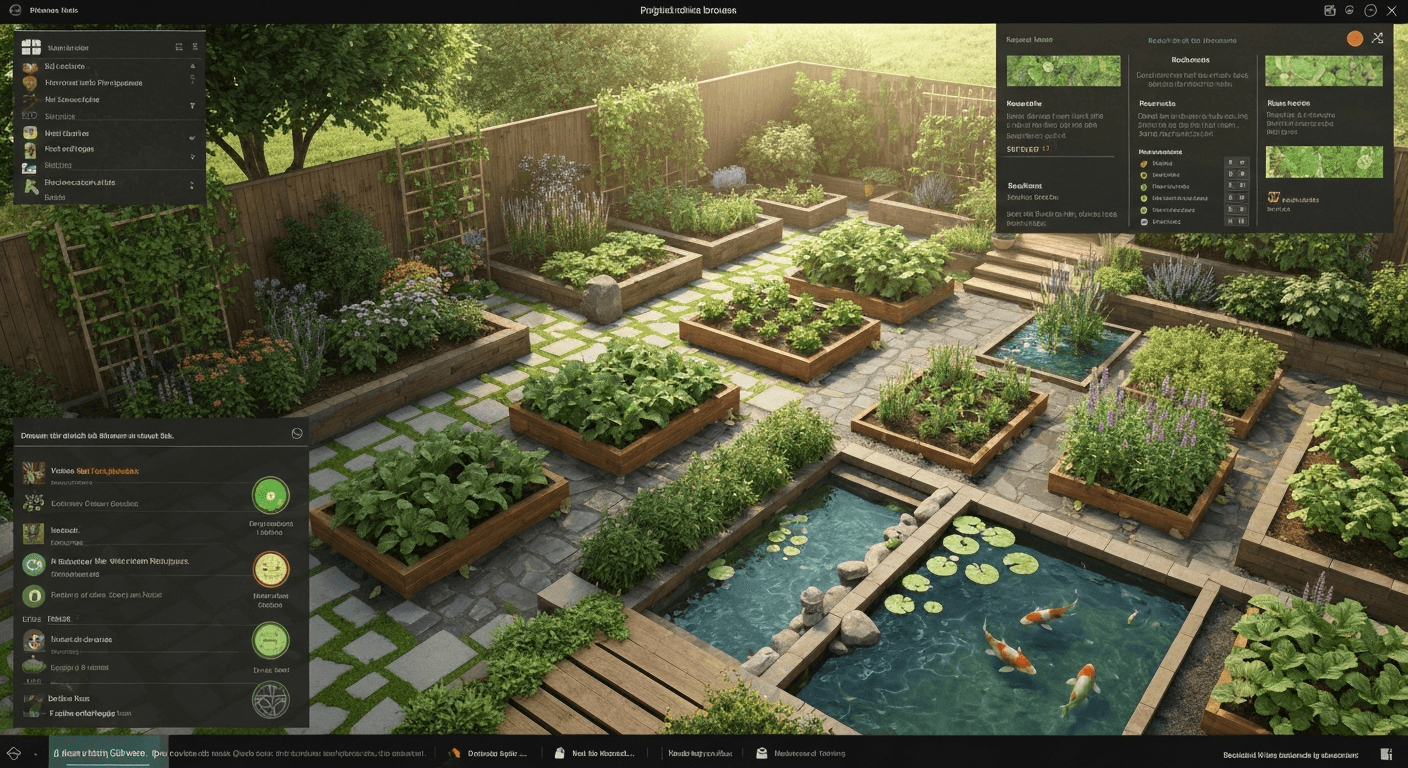
One big plus of using design software is that you can see your design ideas for permaculture gardens much more clearly. The tools help you turn thoughts in your head into real pictures and plans. You do not have to only imagine what your permaculture gardens will look like. Now, you can watch all of it come together right on your screen.
This feature is great for planning. Want to know how your food forest will look after five years? Or maybe you wonder how different plants will look next to each other? With digital tools, you can try out many layouts. You can move things around with no hard work. It is easy to compare design choices before you make them real.
Some top software now lets you make 3D walk-through animations for your designs. This way of seeing things helps you get a better feel for the space. You can make sure the ending look of your space is what you want.
Collaboration and Data Sharing Made Simple
Permaculture brings people together to work on ideas. Digital tools help you and other permaculture designers talk and work as a team. When you want to show your plan to a client, group, or other designers, these tools make it easy to share your work. They help everyone see your ideas, give feedback, and stay in touch.
Instead of trying to show your idea with just words or quick drawings, you can share a clear and well-made design file. This helps make sure that all people feel the same about the project and each person has all the key information they need. It also makes data sharing easy, so your team can look at your plans, give their thoughts, or add what they feel to help.
Working together in the design process makes things faster. It helps make sure that people do not misunderstand each other. People can share their ideas and then change them as a team. This way is more lively and lets everyone work together. It can lead to a better and stronger final design.
Potential Drawbacks and Limitations of Online Tools
Digital tools have helped make the permaculture design process better in many ways. But they are not the answer for every part of the design process. There can be some problems. For some people, there is not much access to these digital tools, or it can be hard to learn how to use them. These things can make it hard for people to get the most out of digital tools in permaculture design.
Even people who work in the industry can have a hard time learning some software. Knowing about these limits can help you pick the best way to do your project, based on your skills. Let's talk about some of these problems and see how digital methods match up to old ways of doing things.
Learning Curves and Accessibility Barriers
One big problem with some permaculture design software is how hard it can be to learn. The more powerful programs, like professional-grade GIS software or CAD tools, are not easy to use at first. If you want to use their advanced features, you have to spend time learning things like control points or how to manage many data layers. It takes practice and you also need to know what you are doing at each step.
Accessibility can also get in the way for people. There are many free choices out there. But the tools with the most and best features often cost money, either each month or with a high one-time fee. This can make it hard for students, people just doing art for fun, or anyone who does not have much money to get the best software.
Key potential barriers include:
-
Steep learning curve: A hard-to-use interface can feel scary for new users.
-
Cost: Paid software may be too much for some people, so not everyone can get it.
-
Technical requirements: Certain programs need a strong computer to work well.
Comparing Digital vs. Traditional Permaculture Design Methods
So, can digital tools fully take the place of old design methods? The short answer is no. CAD software gives you accuracy and speed, but there is unique worth in doing permaculture design by hand. When you draw something by hand, you feel more connected to the site. This can help you think in new and deeper ways.
Many people who work as designers for a long time feel that using more than one way can work well. They often choose digital tools to start with, like for checking the site and to make a base map. But when they want to sketch out new ideas and use permaculture principles, they go back to paper. For many, the old way of designing is not just about the last map or drawing. It is about watching what is around and feeling connected to it.
Consider the pros and cons:
-
Digital: The digital way gives you speed. It is precise. You can edit things easily. People can work together on it.
-
Traditional: The old way makes you see more. It helps with creativity. You feel a hands-on link to the land.
-
Hybrid: This way puts the best parts of both together in the design process. It gives you a full design process.
Exploring Similar Permaculture and Landscape Design Solutions
There are many options besides the tools made just for permaculture design. A lot of other landscape design tools can work for your projects too. These tools have features that help you plan layouts, see design elements, and put your ideas in order.
Whether you want free, open-source software or an easy-to-use mobile app, you will find many choices out there. Knowing the different types will help you pick what is best for your work and your money.
Open Source vs. Paid Design Tools for Permaculture
When you pick permaculture software, one of the first things to think about is if you want open-source or paid tools. Open-source permaculture software, such as QGIS, LibreCAD, and FreeCAD, is free to use. A lot of people help make these tools better. They are sometimes easy to get help with. The tools can do a lot, and you do not have to pay. You still get strong, useful features with these.
Paid tools usually have strong customer support, nice interfaces, and smooth updates. The price might be something to think about. But, for people who want things to be easy or for those who work in the field, the great feel and help you get could be worth it.
Here's a quick comparison:
-
Open Source: These are free for you to use. A community helps support them, and they can be changed a lot to fit what you want, like Solid Edge Community Edition.
-
Paid Tools: These tend to be easier to use. They provide help from a support team, and have more things built right in for you.
-
Your Choice: The best one for you will depend on the money you have, what you know, and what you need for your project.
Mobile Apps for On-the-Go Permaculture Planning
In today's fast-moving world, people need to plan while they are on the go. A landscape design app now makes this easy on your phone or tablet. Mobile apps let you plan your garden, save ideas, and decide what to do next. The landscape design tools can help you while you are right there in your garden.
These apps are great when you need to make fast drawings or want to find out what plant you see. They also help you when taking notes out in your garden. A lot of these apps have things that are made just for gardening. There are plant lists, spacing help, and tips for which plants work well together. All these things are very helpful for permaculture design.
Some top mobile apps people use for permaculture planning are:
-
iScape: Uses augmented reality to show your design right on your outdoor space.
-
Planter: Helps you plan and set up your vegetable garden layouts.
-
Landscaper's Companion: A plant reference guide with a lot of info.
-
Home Design 3D Outdoor/Garden: Lets you make detailed 3D models for your outdoor space.
Final Verdict: Are Online Permaculture Design Tools Worth It?
Are online permaculture design tools worth your time and energy? The answer is yes. These digital design tools help your design process become easier, more creative, and better for working with others. The tools let you look at your site in more detail, put your ideas in front of you in a clear way, and use lots of complex information without much trouble. There is not one app that does everything perfectly for each person, but big platforms like SAGE do a good job when you want to plan with all these features together.
Remember, software helps you, but it does not replace the key values of permaculture. It is important to keep watching, learning by doing, and knowing how everything in your area works. If you add these skills to the tools we have now, you can make a space that looks great, works well, and will last.
Conclusion
To sum up, using permaculture online design tools can really help you plan and carry out your projects. These tools let you make maps, add climate data, and work together with other people. They can make your permaculture work faster and more lively. There may be a bit to learn at first. But the good things you get are much greater than the hard parts. With these tools, you can see your ideas and make your plans better for a more earth-friendly way of living.
When you look at different digital options, think about how they can go along with old methods and make your permaculture work even better. For more tips and ideas, be sure to read our related blog!
Frequently Asked Questions
Can online design tools help with climate resilience in permaculture?
Yes, digital design tools are great when you want to plan for climate resilience. They help you look at your local climate, map water features, and learn about different soil types. With this data, you can make a strong permaculture design. This will help your land deal better with rough weather and things changing in the environment.
What makes SAGE different from other permaculture apps?
SAGE is special as it has tools made for permaculture. You get plant ideas that fit your own climate. SAGE helps a lot with building plant guilds, too. The intuitive interface helps you plan garden layouts much faster. It is also easier to use than many other common design apps.
Do digital tools replace manual permaculture design methods?
No, digital tools will not take the place of manual design. They help the process and work alongside it. Using software makes things faster, but drawing by hand still helps people see more and create better ideas. Most industry professionals say that mixing digital tools' accuracy with the hands-on feel of permaculture principles is the best way to get good results.